 How-to
How to Choose Sports Bar Screens: 2026 Guide
Table of Contents
- Start With Your Seating Map, Not the Screen Spec Sheet
- The Sports Bar TV Layout Guide: Matching Screen Size to Viewing Distance
- Commercial Display vs Residential TV for Bars: What Actually Survives Game Day
- Sports Bar Lighting and Glare Reduction: Winning the Battle Against Ambient Light
- Resolution, Refresh Rate, and Input Lag: Specs That Actually Matter for Sports
- Audio Zones and HDMI Distribution: Keeping Every Seat in the Game
- Legal, Energy, and Maintenance Considerations Most Bars Learn Too Late
- Conclusion: Building a Screen Setup That Keeps Fans Coming Back
- Frequently Asked Questions
Last Updated: September 28, 2026
Start With Your Seating Map, Not the Screen Spec Sheet
Most bar owners buy screens first and figure out seating later. That's backwards. The best way to choose sports bar screens is to map where guests sit, stand, and walk before you buy a single display.
So before you shop, sketch your floor:
- Where are the longest sightlines?
- Which seats face a wall?
- Where do servers need to walk?
The Sports Bar TV Layout Guide: Matching Screen Size to Viewing Distance
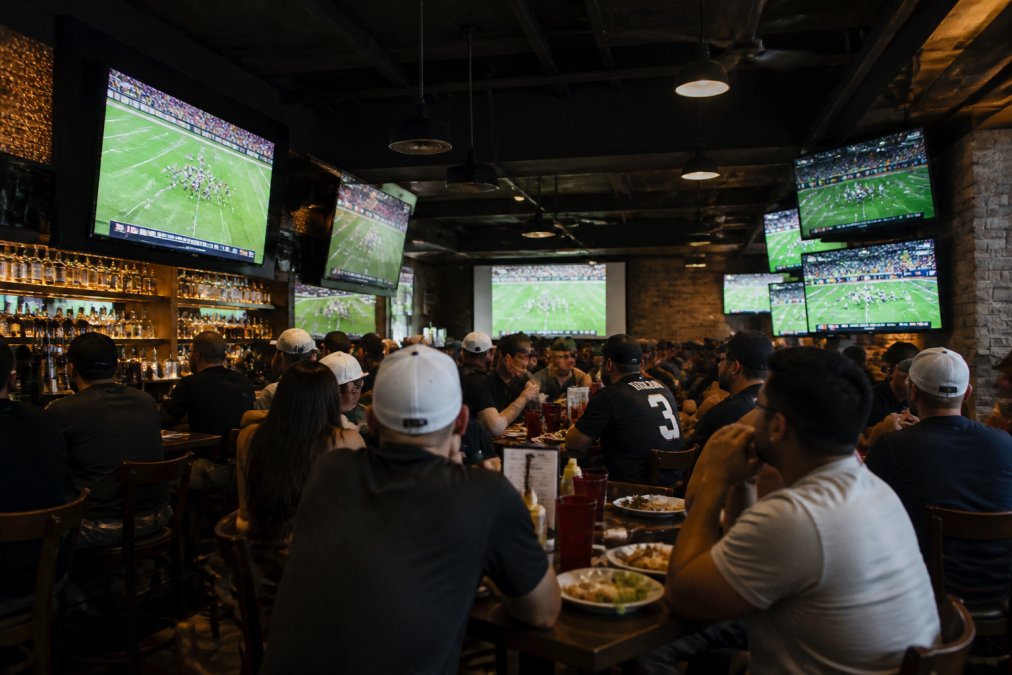
A sports bar TV layout guide starts with one rule: screen size follows viewing distance, not the other way around. Get this wrong and half your guests will squint all night.
How to Calculate the Right Screen Size for Every Zone
Measure the distance from the farthest seat to the wall. Then match it to a screen size.
Mounting Height and Sightline Rules That Prevent Neck Strain
Mounting height is where most bars fail. Screens go too high, and guests crane their necks all night.
Commercial Display vs Residential TV for Bars: What Actually Survives Game Day
Commercial displays are engineered for a duty cycle a residential TV was never built to survive. That single difference, duty cycle, drives every other trade-off in the commercial display vs residential TV for bars decision.
What "Commercial-Grade" Actually Means
A commercial display is rated for continuous operation, typically 16 to 24 hours a day, seven days a week. A residential TV is designed around a few hours of nightly viewing. Run a residential panel for 14 hours a day and you accelerate the two failure points that kill it first: the power supply and the backlight.
Three more differences show up on the spec sheet:
- Brightness. Commercial panels are commonly rated in the 400-700 nit range, with high-brightness models well above that. Many residential TVs sit in the 250-350 nit range. In a room with windows or bright overheads, that gap is the difference between a visible game and a washed-out one.
- Warranty and service. Commercial warranties typically run three to five years and are often written for business use. Residential warranties usually run one to two years and frequently exclude commercial installation.
- Mounting and inputs. Commercial displays usually support portrait orientation, RS-232 or network control, and daisy-chain signal distribution. Residential TVs generally do not.
A Practical Good-Better-Best Hardware Guide
Most guides stop at "buy commercial." That is not useful when you are budgeting a 12-screen room. Here is how the tiers actually break down.
| Tier | What it looks like | Where it belongs |
|---|---|---|
| Good | Residential or prosumer panels, 1080p, 60Hz, 1-2 year warranty | Small rooms, low hours, secondary screens that only run on game days |
| Better | Entry commercial displays, 4K, 60-120Hz, 3-year warranty, 400+ nits | Main bar rail, booth zones, most wall-mounted screens |
| Best | High-brightness commercial displays, 4K, 120Hz, 5-year warranty, network control | The feature wall, the biggest sightline, any screen near windows |
The Hidden Cost of the Cheap Route
A residential TV that fails at month 14 is out of warranty. You replace it, and the replacement fails at month 28. Over a five-year span, the "cheaper" panel can cost more than a single commercial unit that was rated for the hours you actually run. Factor in the labor to unmount, swap, and remount, and the math gets worse.
Sports Bar Lighting and Glare Reduction: Winning the Battle Against Ambient Light
Glare kills more game-day views than bad screens. Sports bar lighting and glare reduction is about controlling the room, not just the display.
Then cut the glare at the source:
- Angle screens away from windows
- Use matte finishes over glossy ones
- Dim overhead lights near screens
- Add shades or tint to bright windows
Resolution, Refresh Rate, and Input Lag: Specs That Actually Matter for Sports
For sports, three specs matter most: resolution, refresh rate, and input lag. Everything else is secondary.
Audio Zones and HDMI Distribution: Keeping Every Seat in the Game
Audio is the part most bars get wrong. You can have perfect screens and still lose guests to bad sound.
Legal, Energy, and Maintenance Considerations Most Bars Learn Too Late
Three things trip up bar owners after the screens are up: legal use, energy draw, and upkeep. Most guides skip all three. These are the ones that generate fines, surprise utility bills, and dead panels.
Legal and Licensing: The Part Nobody Warns You About
Showing a broadcast in a public venue is a public performance, not a private viewing. A home sports subscription does not cover it, no matter how many screens you own or how small the room is.
The rules break down by content type:
- Broadcast and cable networks. Commercial accounts are typically handled through the major licensing organizations that represent the networks and rights holders. The terms depend on your occupancy, your square footage, and how many screens you run.
- Over-the-air broadcasts. The FCC rules on broadcast use govern what can be received and retransmitted, but they do not grant you a commercial performance right. You still need the licensing side covered.
- Streaming services. Most consumer streaming tiers explicitly prohibit commercial exhibition. Business tiers exist, and they cost more.
Two practical rules of thumb:
- Occupancy drives cost. A 60-seat room and a 300-seat room are priced differently. Know your posted occupancy before you request a quote.
- Screen count matters. Some licenses are priced per display. A 12-screen wall is not the same line item as a single TV behind the bar.
Energy and Heat: The Math Owners Underestimate
Screens draw power and throw heat. A wall of displays can warm a room and spike your bill, and both effects compound in a closed space.
A few grounded rules of thumb:
- Power draw scales with size and brightness. A large commercial panel running at high brightness can draw several hundred watts. Multiply that by the number of screens and the hours you run them, and you get a real line on your utility bill.
- Heat is the second bill. Every watt a screen consumes becomes heat the room has to remove. In summer, that heat load lands on your HVAC. In winter, it is free warmth, which is why some operators run screens harder in cold months.
- Spacing matters. Commercial panels need clearance for airflow. Tight-stacking screens against a wall traps heat and shortens panel life. Leave the manufacturer's recommended gap between units and keep vents unobstructed.
Maintenance: What High-Traffic Rooms Actually Do to Screens
Dust, spills, and bumps are the three failure modes in a bar. None of them are covered by a warranty.
A practical maintenance routine:
- Daily. Wipe the screen surface with a dry microfiber cloth. Skip paper towels and skip ammonia-based cleaners, both damage coatings over time.
- Weekly. Check that vents and fans are clear. Dust buildup is the leading cause of overheating in commercial installations.
- Monthly. Inspect mounts and cables. Vibration from doors, subwoofers, and foot traffic loosens hardware over time.
- Seasonally. Test every input and every zone. A dead HDMI port discovered on game day is a dead screen for the night.
Conclusion: Building a Screen Setup That Keeps Fans Coming Back
Getting sports bar screens right takes planning, not just budget. Map your seats, match size to distance, control the light, and split your audio. Do that and every guest gets a great view.
Frequently Asked Questions
How many TVs should a sports bar have?
There is no single right number, but a common guideline is one screen for every 6 to 10 seats in high-traffic viewing zones. The goal is to ensure no guest has to crane their neck or miss a play. For a bar with 80 seats, that means roughly 8 to 12 screens, distributed across different zones. The exact count depends on your layout, the size of each screen, and whether you want every seat to have a clear view of at least one display. Prioritize coverage over sheer quantity.
What is the difference between commercial and residential screens for sports bars?
Commercial displays are built to run 16 to 24 hours a day, seven days a week, with higher brightness (often 500 to 700 nits or more) and better heat dissipation. Residential TVs are designed for 4 to 6 hours of daily use and typically max out around 300 to 400 nits. In a sports bar, commercial displays last longer, resist image retention, and handle ambient light better. They cost more upfront, but the reduced replacement and maintenance costs usually make them the smarter long-term investment.
How do you minimize glare in a sports bar environment?
Start by choosing screens with anti-glare or matte finishes, and position them away from direct windows or bright overhead lights. Adjustable LED lighting with dimmers helps control reflections during peak sunlight hours. You can also mount screens at a slight downward angle to reduce glare from ceiling fixtures. If glare is still an issue, consider adding blackout shades or moving the most critical screens to interior walls. The goal is to keep the picture clear without making the room feel like a cave.
Should a sports bar use projectors or flat-panel displays?
Projectors can create a massive image for a low cost per inch, but they struggle with ambient light and require regular bulb or laser maintenance. Flat-panel displays offer sharper pictures, better brightness, and longer lifespans, making them ideal for most sports bars. A hybrid approach works well: use a high-lumen projector for a feature wall or outdoor patio, and flat panels for the rest of the venue. If your space has lots of windows or bright lighting, flat panels are usually the safer bet.